



Lumen 1.1: the light tower
Lumen: Light & Mirrors 1.1 is out on the App Store and Google Play. It adds a fourth building, gives the observatory rules of its own, and gives the game an ending. The browser version has the same puzzles. Your saved progress carries over.
What’s new
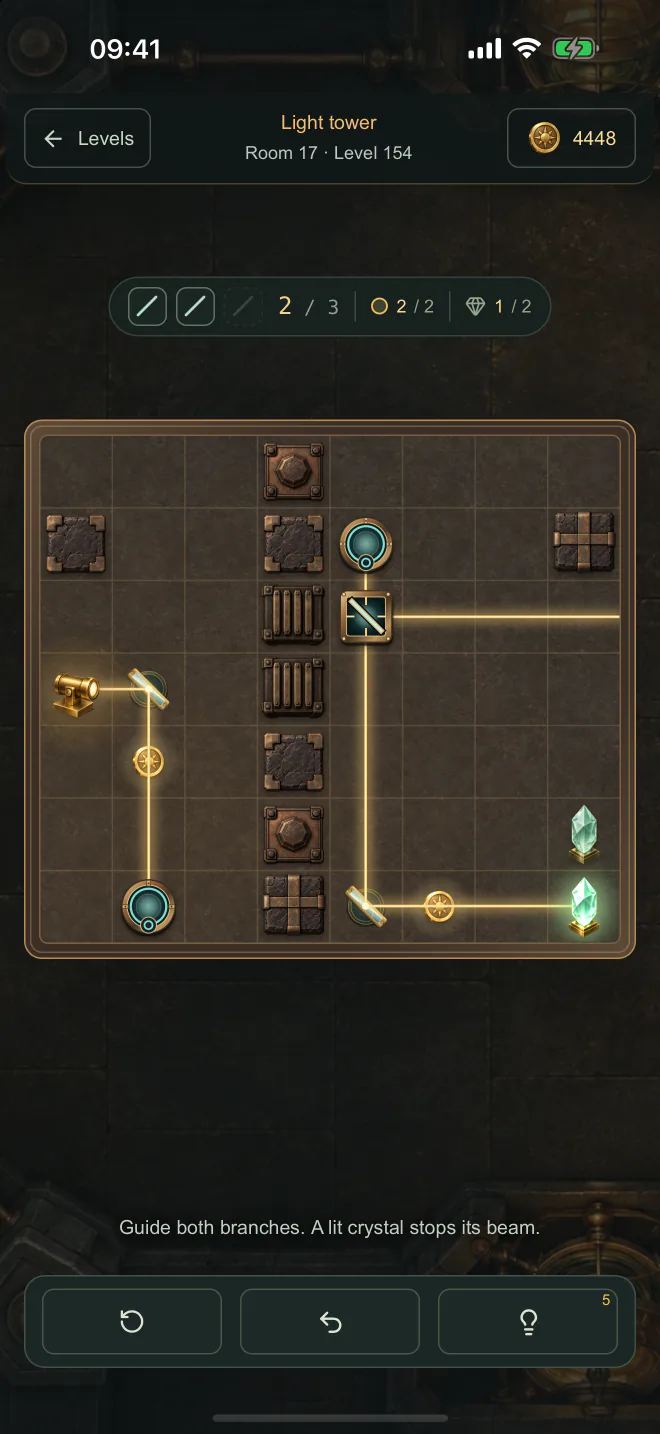
- A fourth building: the light tower. Four rooms and 32 puzzles above the observatory. Portals carry the beam from one side of the board to the other, both ways, and the light keeps its direction. A splitter lets part of the light through and turns the rest, so one beam can reach two crystals. Both have to light up at once.
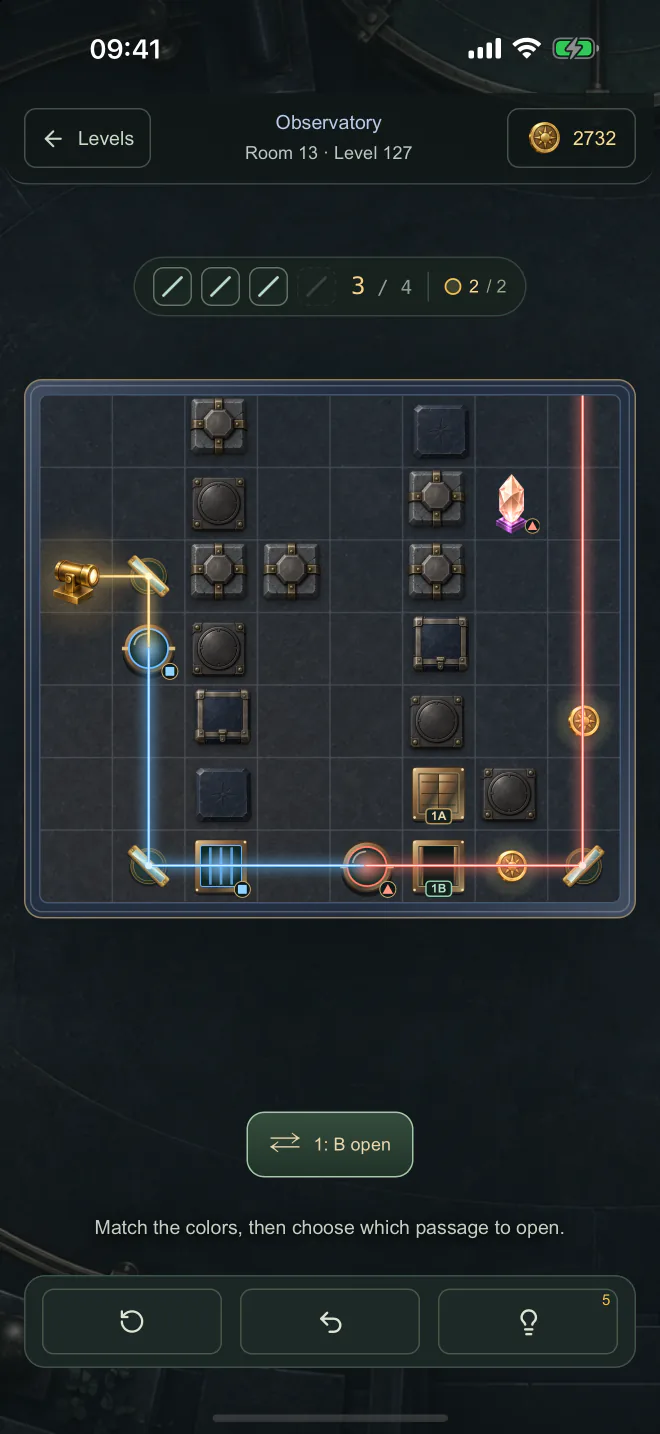
- The observatory has rules of its own. Its puzzles are rebuilt around three new pieces. Lenses change the color of the light. Colored glass lets only the matching color through. Paired shutters share a button that opens one passage and closes the other. Red and blue also carry symbols, so no puzzle depends on telling two colors apart. Undo and hints cover the shutters as well as the mirrors.
- The game has an ending. The last puzzle used to send you back to level one. Now it takes you to the title screen, where a closing panel says every crystal is lit, counts your stars and asks how you like the game.
- A new title screen and new art for every building. Each place has its own stones, floor and fittings. If you prefer the plain board, turn off Board sprites in Settings.
- Rate the game any time from Settings. In the app, a thumbs up opens the store’s review page. A thumbs down, or either thumb in the browser, opens a short feedback form.
- Resetting your progress asks first, in a dialog of its own.
- Smaller fixes. The tutorial now says mirrors reflect the light, in all four languages. The App Store lists all four languages the game speaks. The board holds still under a tap on iPhone.
Every budget is checked by a search
Each puzzle gives you a number of mirrors, and outside the first room that number is the fewest the board allows. Nobody counts that by hand. For every level, the test suite tries every way to place fewer mirrors, and it fails if even one of them lights the crystal.
The new pieces made that search bigger. A puzzle with shutters is really several boards, one for each position of its buttons, so the tests try every combination before they accept a budget. In the tower, a splitter sends the light down two branches, and the search follows both. A route counts only if every crystal lights up with the same set of mirrors. The tests also take each pair of portals, and the splitter, off the board and check that the puzzle can no longer be solved. Nothing on a tower board is decoration.
This matters most where a player would never notice it going wrong. A budget that is one mirror too generous does not break a puzzle. It quietly lets a shortcut through, and the puzzle stops being about the idea it was built around.
A review sheet that never answers
On iPhone and iPad, a thumbs up on the closing panel asks the system for its own rating sheet. Apple decides whether the sheet appears: a few times a year at most, and never if you turned it off in Settings. It tells the app nothing either way.
A tap that ends in silence is a poor answer to “how do you like the game?”, so the app works it out for itself. The sheet comes up in a window of its own, and for a moment after asking, the app watches for a new window. If one appears, the panel stays out of its way. If none does, the panel offers the App Store link instead. On Android a thumbs up offers the Google Play listing.
Every answer, up or down, also offers a short feedback form. A star rating says whether you liked something. The form is the only place that can say what to change.
The stone that moved a pixel
The board is drawn from scaled sprites. On our own iPhone, every tap made the stones twitch by a pixel and change their texture slightly. The simulator never showed it, and neither did Safari or another iPhone in a frame by frame screen recording.
Two things were going on. WebKit drew the scaled sprites smoothly the first time and more coarsely after a repaint, so a tap changed how they looked. Setting image-rendering: optimizeQuality on the board keeps the smooth version. And the mirrors and coins each had a compositing layer of their own, while the stones did not. Each stone now keeps one too. The board looks the same, and it stays still.
Get Lumen. Free, with no ads and no account, in English, Polish, Ukrainian and Russian.


Play in your browser → See the game and screenshots → Read about the web release →