


We checked 25 big-brand websites for cookie consent and accessibility
We built a free website checker that opens a page the way a first-time visitor sees it and records what happens before anyone touches the cookie notice. Before telling small businesses what usually goes wrong, we wanted to see how the big names do. So on November 23, 2026 we ran it on the home pages of 32 well-known retailers, airlines, travel sites, newspapers and software companies, from Warsaw, as a visitor in the EU.
Seven of them showed us a bot-protection page instead of the site, so this is about the other 25. We are not naming anyone: one automated visit to one page is a snapshot, not a verdict, and the point is the pattern, which is the same one we see on small business sites.
Short version. More than a third of these sites started advertising tags before the visitor chose anything, most of those kept them running when the browser said “do not sell or share”, and almost every one failed at least one serious accessibility check. A big budget and a consent platform do not fix this on their own: someone has to wire the tags to the answer.
- 9 of 25loaded advertising tags or set advertising cookies before the visitor made any choice
- 7 of 25set analytics cookies before any choice
- 7 of 25still loaded advertising with Global Privacy Control switched on
- 21 of 25had at least one serious or critical accessibility failure on the home page
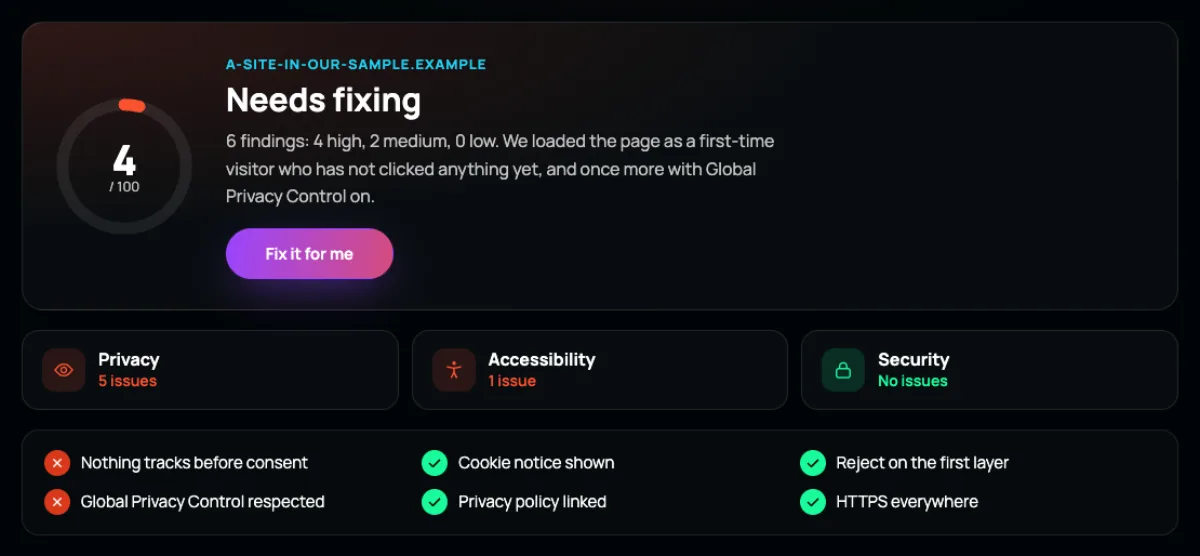
1. Advertising that does not wait for the answer
Nine sites loaded Google Ads, Meta Pixel or similar tags, or found their cookies already set, on the very first page view, before the visitor had clicked Accept or anything else. Most of them do have a consent notice; it simply was not connected to the tags. Under the EU and UK cookie rules, anything stored on a visitor’s device that is not strictly necessary needs consent first, and advertising is never strictly necessary.
Seven sites did the same with analytics: Google Analytics cookies set before any choice. One sent every visit to a session recording tool before anyone agreed, which records clicks and typing.
The fix is plumbing, not a new banner: tags fire only after the matching consent, through the consent platform’s own integration or Google Consent Mode v2 for Google tags. Test it in a private window with the browser’s network tab open, before you click anything.
2. A notice without a real “no”
Of the 21 sites that showed a cookie notice we could recognise, five offered Accept on the first screen but nothing to refuse there; refusing meant opening settings and switching things off one by one. France’s regulator, the CNIL, fined Google €150 million and Facebook €60 million in 2022 for exactly that imbalance. The fix costs an afternoon: a Reject button next to Accept, styled the same way.
3. “Do not sell or share” that nobody reads
Global Privacy Control is a signal the browser sends with every request, meaning “do not sell or share my data”. California treats it as a valid opt-out under the CCPA, and several other US states require businesses to honour it as well. We visited every site a second time with the signal on. Of the nine sites that ran advertising tags, seven loaded them again regardless. Some may run those tags in a restricted mode that an outside check cannot see, but most simply do not read the signal.
The fix is a few lines: read navigator.globalPrivacyControl in the page (or the Sec-GPC header on the server) and treat it as an opt-out before any advertising tag starts.
4. Accessibility: 21 out of 25
We ran the standard axe-core checks for WCAG 2.2 A and AA on each home page. Only four came back without a serious or critical failure. The most common problems were ordinary ones:
- Buttons and links whose spoken name differs from the visible label (13 sites). A voice-control user says what they see, and nothing happens.
- Text with too little contrast (6 sites), often light grey on white or white on a brand colour.
- Broken list and menu structure (5 sites), which screen readers announce wrongly.
- Buttons with no name at all (4 sites), usually icon buttons such as search, close or the cart.
This matters more than it used to. Since June 28, 2025 the European Accessibility Act covers e-commerce and other consumer services sold in the EU, measured against WCAG 2.1 AA, with an exemption only for microenterprises. In the US, thousands of ADA lawsuits over websites are filed every year, and a home page that fails an automated check is the easiest evidence there is. We found the same kind of problems on our own site when we first ran the checker on it, and fixed them the same day.
What a small business should check this week
- Open your site in a private window with the network tab open. If you see requests to Google, Meta, TikTok or a session recording tool before you click anything, that is the first fix.
- Look at your cookie notice. Reject should be on the first screen, as easy to find as Accept.
- Click Reject, then reload. The advertising and analytics requests should be gone. Often they are not.
- If you sell to Americans, honour Global Privacy Control and link “Do Not Sell or Share” where the state laws ask for it.
- Fix the cheap accessibility failures: contrast, names on icon buttons, labels on form fields, alt text. Then try the site with the keyboard alone.
- Host your fonts yourself. Loading Google Fonts from Google sends every visitor’s IP address there; a Munich court awarded damages over exactly that in 2022.
Or skip the first three and the fifth: our free checker does them in under a minute and maps what it finds to the laws that apply to your business, based on where you are registered and where your customers are.
How we checked, and what it cannot tell you
Each home page was loaded once in a fresh Chromium browser with no cookies, a desktop window and an EU time zone, from an address in Poland, then a second time with Global Privacy Control on. We recorded every request and cookie before any click, looked for the cookie notice and its buttons, and ran axe-core 4.14. We did not click Accept or Reject, so we could not see whether refusing actually works; we checked one page, not checkouts or account areas; and trackers routed through a site’s own domain are invisible from outside. Sites show different things to different countries and change week to week. Treat the numbers as a picture of one day, not a ranking, and none of it as legal advice.
How we help
We are engineers, not lawyers. We find out exactly what your site loads and sends where, wire consent so tags really wait for it, honour Global Privacy Control, fix accessibility in your templates rather than with an overlay widget, and write down the facts your lawyer needs for the privacy policy. A written audit starts at $350 and is credited against the fixes; privacy and consent fixes start at $450 a site, accessibility fixes at $900. See what we fix.
Sources: the CNIL’s January 2022 decision on Google and Facebook; the California Attorney General on the CCPA and opt-out preference signals; the Global Privacy Control specification; the European Commission on the European Accessibility Act; and axe-core, the accessibility engine we used.