Scan any barcode. Make your own.
One app for the code in your hand and the code you need. Free, with no ads and no account, and it works offline.

🇩🇪Valid
Germany
where this barcode was registered
4006381333931
EAN-13
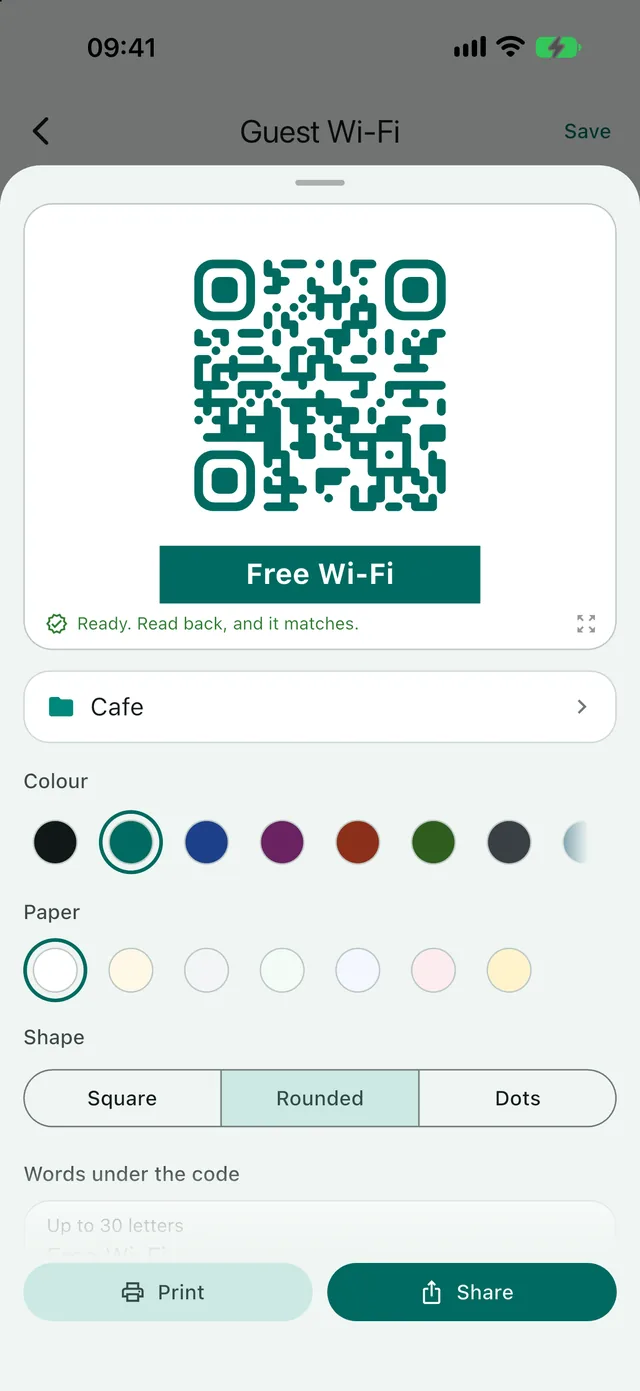
Ready. Read back, and it matches.
ShareTry it here
Type a barcode number
Take the digits under any barcode near you. This is what the app says about it.
Or try
- Kind
- EAN-13
- Check digit
- Valid
- Country
- Registered in GermanyWhere the company registered the barcode. Not always where the product was made.
Type something, get a QR code
A link, a note, a Wi-Fi password. The code is made here in your browser, and what you type goes nowhere.
A real QR code, 25 by 25. Point a phone camera at it.
Premium In the app, dots and more inks come with Premium. You can try them first.
Product barcodes
See what the digits say
- The type of code. EAN-13, EAN-8, UPC-A, UPC-E, Code 128, Code 39, Code 93, Codabar, ITF, QR, Data Matrix, Aztec and PDF417.
- The check digit. The app works it out again and says whether the product number is valid. That covers GTIN-8, 12, 13 and 14.
- The country it was registered in. The first digits show where the company registered the barcode. That is not always where the product was made, and the app says so on the same screen.
In-store codes, ISBN and ISSN are named as what they are.
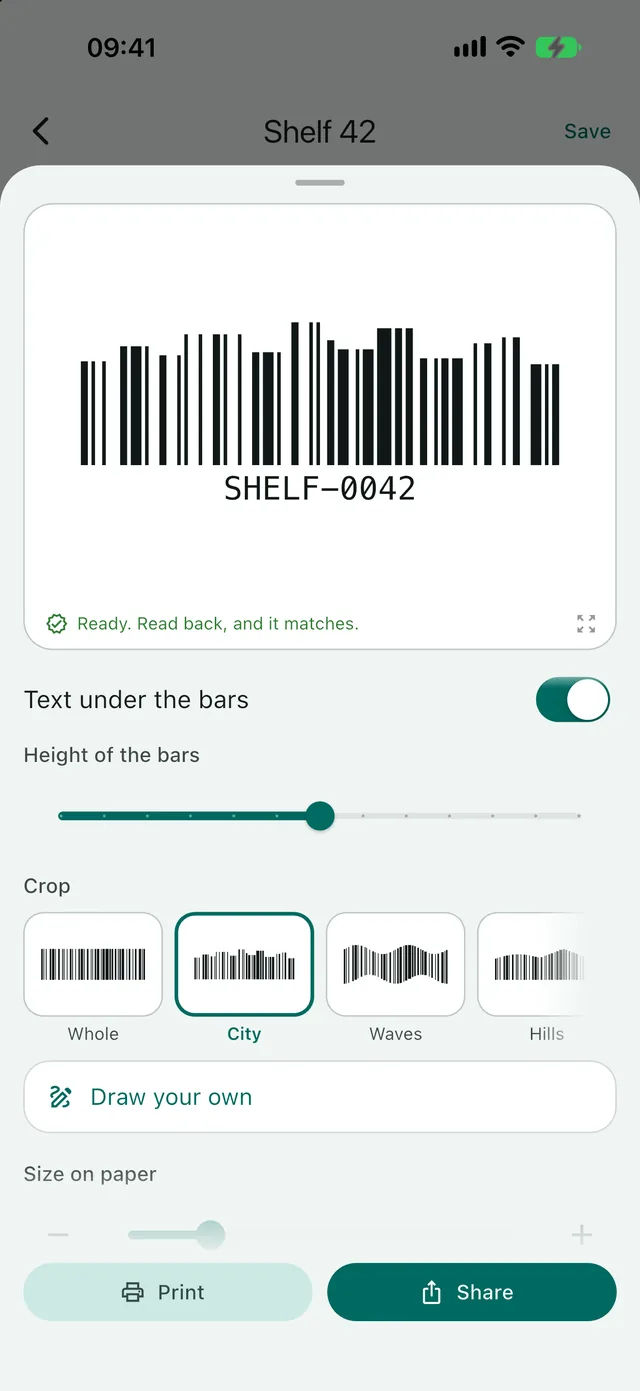
Make an EAN, a UPC or an ISBN
- Every type the app reads, plus ISBN.
- Check digits handled. A missing one is worked out. A wrong one is named, with the right one.
- Read back as you make it. The app reads the code it drew, and tells you when a camera would struggle with it.
Most codes you scan can be made again, straight from the scan.
Premium Cut the bars to a shape: a skyline, a cat, a heart and nine more, or draw your own. Phones still read them.
QR codes and Wi-Fi
Know a QR code before you trust it
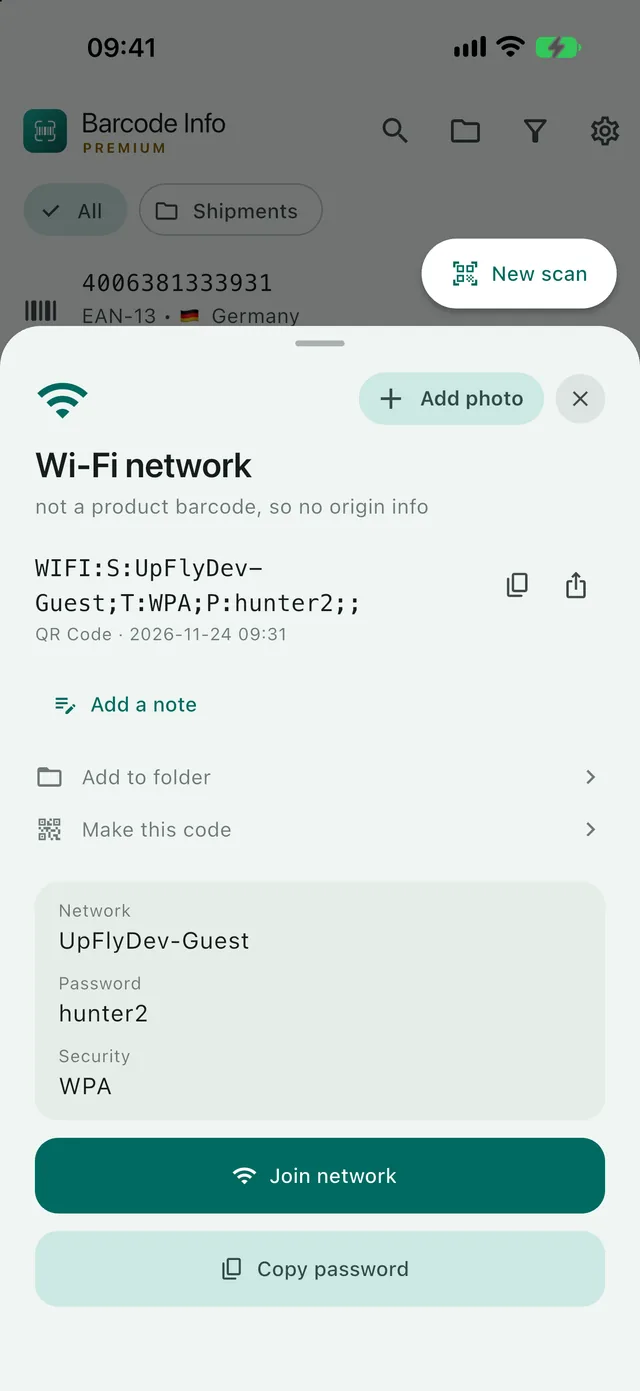
The app says what a code holds before you act on it: a link, a Wi-Fi network, a contact, an event, a phone number, a message, an email or a place.
- Links checked first. A link shows which site it opens. If the address looks off, you are told why: lookalike letters, a link shortener, a bare IP address or plain http.
- Wi-Fi and contacts. One tap joins the network, saves the contact or adds the event. Your phone shows its own screen to confirm, so the app never reads your contacts or calendar.
The app never calls a link safe. It shows you what is there.
Make a QR code for almost anything
Links, Wi-Fi, contacts, text, calls, messages, email, places, events and SEPA transfers. Paste some text and the app offers what it most likely is.
- It never stops working. What you typed is inside the code itself. No server sits behind it, so nobody counts who scans it and nothing can be switched off later.
- Free to make. Make as many as you like, with no signal.
Premium Round dots, more inks and papers or any colour you type, and words under the code, like Free Wi-Fi. Try any look first. The app asks only when you save or share that code.
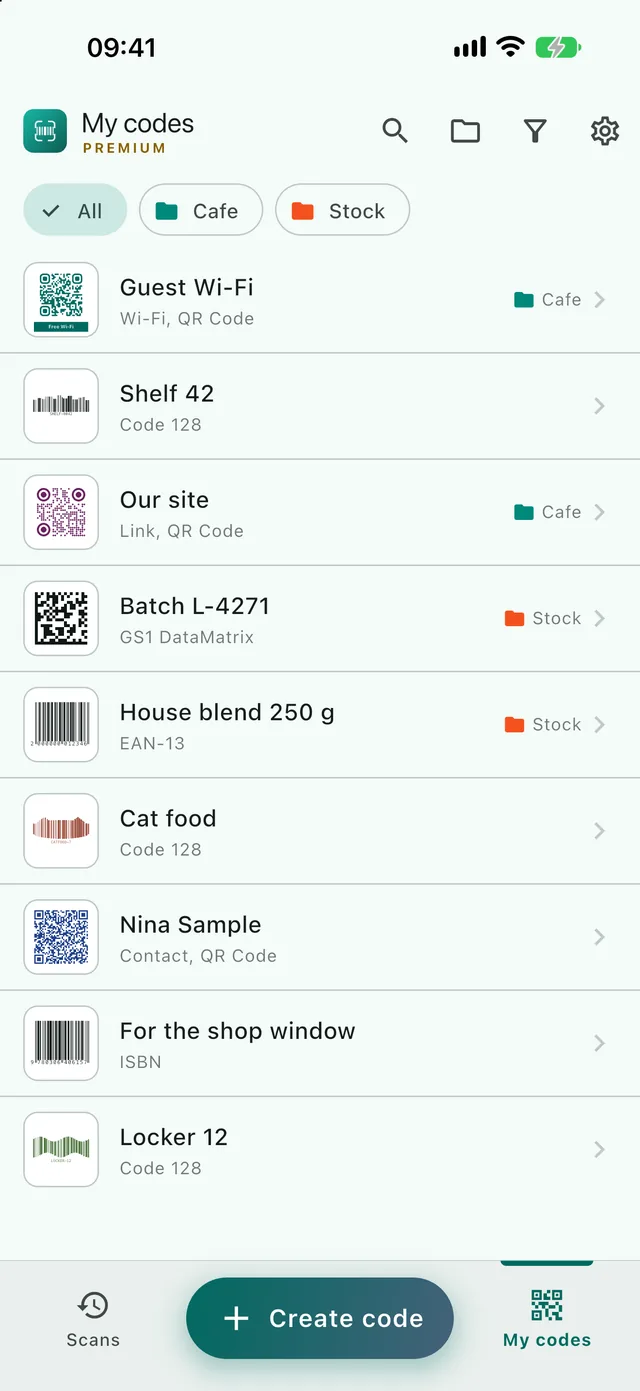
GS1 labels
Read a shipping label field by field
A GS1-128 or GS1 DataMatrix code is not one number. It is a list of fields, and the app reads them out one by one:
- batch or lot, and serial number;
- best before and expiry dates. An expiry date shows how many days are left;
- pallet number (SSCC), weight and size.
GS1 Digital Link QR codes, the new kind at the till, are read the same way.
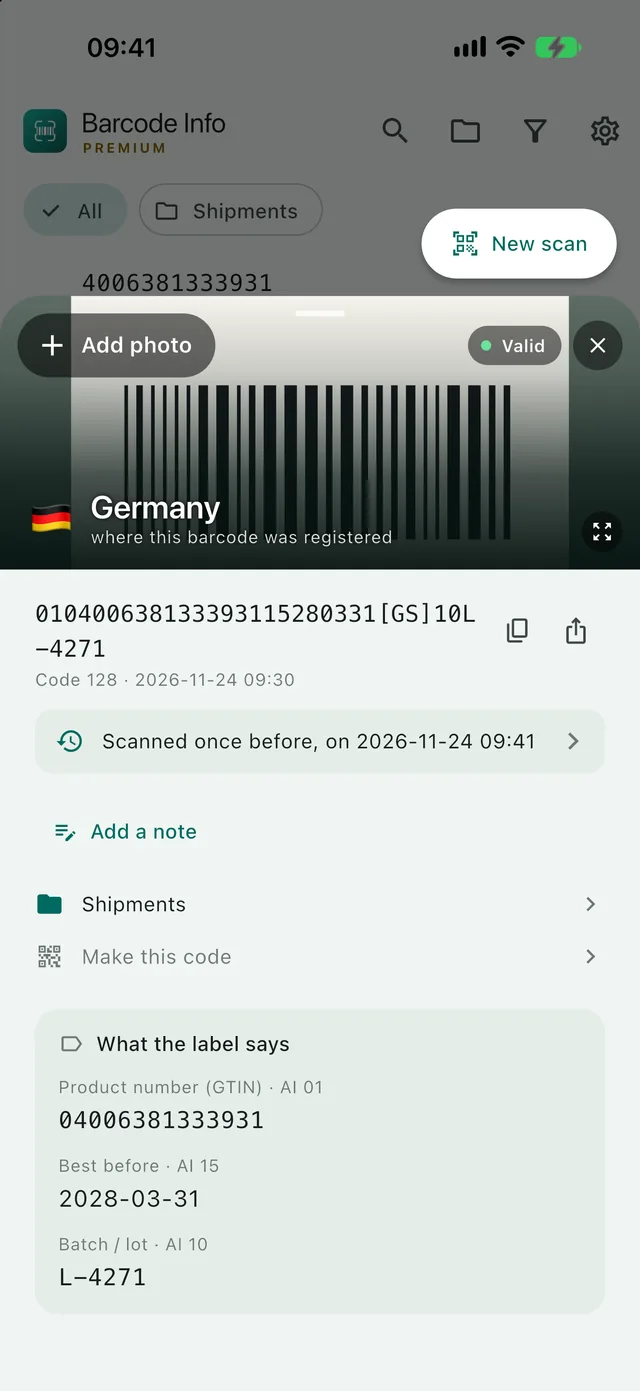
Make a label a warehouse can read
Fill in the fields and get a GS1 DataMatrix or a GS1-128:
- product number and batch;
- use-by date;
- weight and pallet number.
The code is drawn as you type, and read back before anyone prints it.
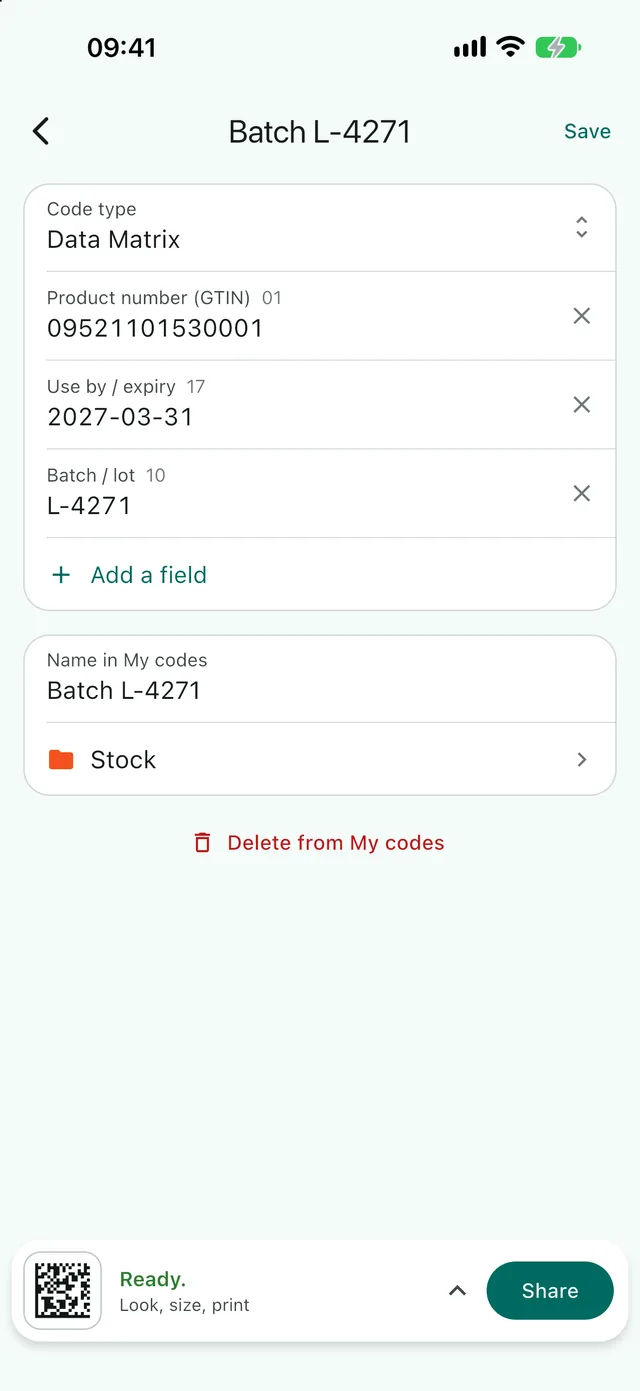
Keep it, send it
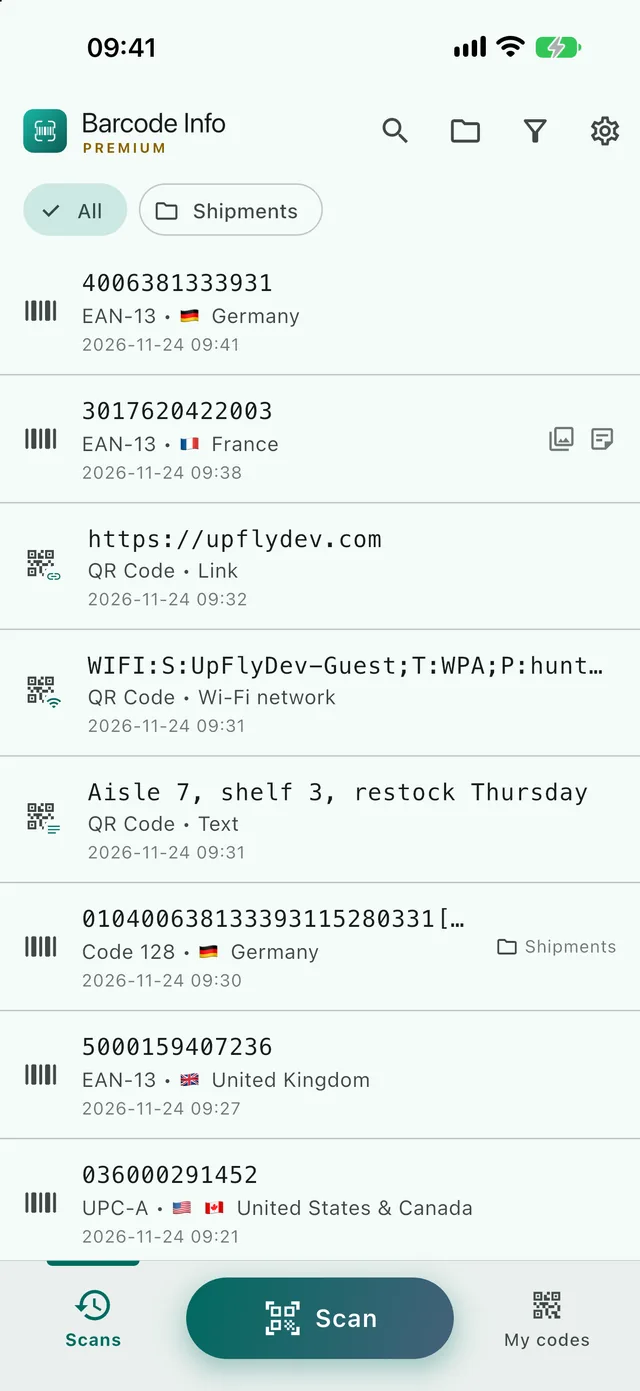
A history you can search
- Each scan keeps the photo it was read from.
- Search, add notes, and filter by kind or date.
- See when you scanned the same product before.
- Share a scan, or select several at once.
50 scans are kept for free. Past that, a scan is still read and shown. It just is not saved.
Premium Every scan kept. Batch scanning, where the camera stays open and saves every code it catches. Folders, export as CSV or text, and your own photos on a scan.
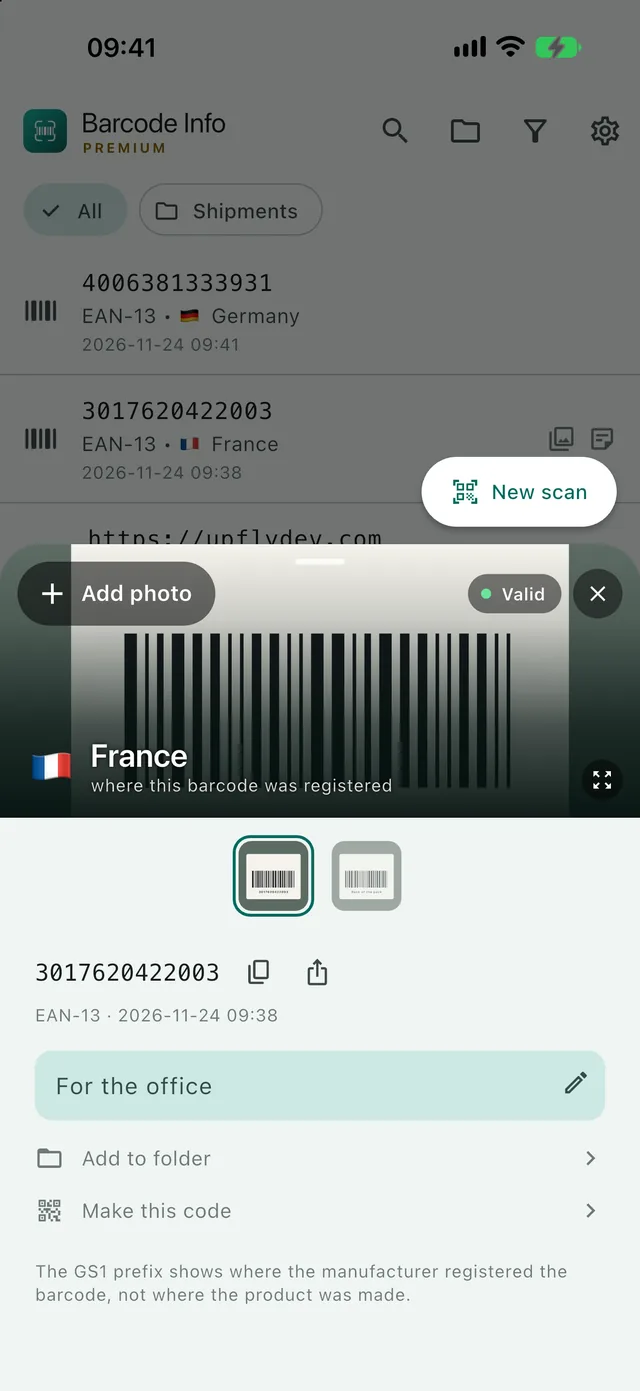
Print it at the size you choose
- Set the size in millimetres and print. The code is printed at that size, not blown up to fill the page.
- Copy it, or share it as a picture or a PDF.
- Tap the code to fill the screen with it, so someone can scan it off your phone.
My codes keeps 10 of your codes for free. Past that, a code is still made, printed and shared. It just is not kept.
Premium Every code kept, SVG for a printing shop, and folders for your codes.
Start from anywhere
A scan is one tap away
- No camera handy? Type the digits, or read a code from a photo you already have.
- From the share menu. Share a photo from another app and tap Scan code.
- On iPhone: Home Screen and Lock Screen widgets, Control Center, the Action button and Siri.
- On Android: a Home Screen widget and a Quick Settings tile.
A new code is one tap away
- From the share menu. Share a link, some text or a contact from another app and tap Make QR code.
- Scan or create widget. A Home Screen widget with both, on iPhone and Android.
- From the app icon. Press and hold it and pick Create code.
- Opens where you work. Choose whether the app opens on Scans or on My codes.
Either way: light, dark or automatic. On an iPad or a tablet held sideways, the list and what you picked sit side by side. Made for iPhone Duo too.
Free and Premium, side by side
Premium is one payment of $4.99. It is not a subscription, so there is nothing to renew.
| Feature | Free | Premium |
|---|---|---|
| Scanning | ||
| Read any barcode or QR code, and what it says | ||
| Country of registration, check digit, GS1 fields | ||
| Wi-Fi, contacts and events in one tap, links checked | ||
| Type a code in, or read it from a photo | ||
| Search, notes and filters | ||
| Scans kept | 50 | Every one |
| Batch scanning | ||
| Scan one after another | ||
| Folders for scans | ||
| Your own photos on a scan | ||
| Export as CSV or text | ||
| Preview on hold | ||
| Making codes | ||
| QR codes, barcodes, ISBN and GS1 labels | ||
| Read back before you print | ||
| Print at any size, or share a picture or a PDF | ||
| Codes kept | 10 | Every one |
| Inks | Six | Any ink |
| Papers | White | Seven |
| Bars cut to a shape | ||
| Round or dotted QR codes | ||
| Words under a QR code | ||
| SVG for a printing shop | ||
| Folders for codes | ||
| Always | ||
| No ads, no account, works offline | ||
| Price | Free | $4.99One payment, no subscription |
Your scans stay on your phone
No account and no ads. Scans, codes and photos are kept on your phone. The app goes online only to buy or restore Premium, through Apple or Google.
On Android, codes are recognised by Google’s ML Kit. It runs on the phone and sends Google usage metrics, such as the device model and app version. It never sends your camera pictures or what your codes say. The privacy policy has the details.
Questions people ask
Does a barcode show where a product was made?
No. The first digits of a barcode show the country where the company registered the barcode. A company registered in one country often makes its goods in another. Barcode Info says “registered in” and explains the difference on the same screen.
Do the QR codes I make expire?
No. What you typed is inside the code itself. No server sits behind it, so nothing can be switched off later and nobody counts who scans it.
Is Barcode Info free?
Yes. Scanning and making codes are free, with no ads. The free app keeps 50 scans and 10 codes you made. Premium keeps every one and adds extras. It is a one-time purchase of $4.99 in the US, with no subscription.
Does it work without the internet?
Yes. Scanning, making codes and everything the app works out from a code happen on the phone. The app goes online only to buy or restore Premium.
Which codes can it read and make?
EAN-13, EAN-8, UPC-A, UPC-E, Code 128, Code 39, Code 93, Codabar, ITF, QR, Data Matrix, Aztec and PDF417. It reads them all and makes barcodes of every type it reads, plus ISBN and GS1 labels as GS1-128 or GS1 DataMatrix.
Scan it, or make it.
Barcode Info is free on the App Store and Google Play.
No ads, no account, works offline. iPhone, iPad and Android.